UPDATE 12/11/14: After a considerate conversation with Apple, Transmit iOS 1.1.2 has been released with restored “Send To” functionality.
While the process feels less-than-perfect, this resolution is a nice reminder that, just as we thought, there are good people at Apple who will push hard to do the right thing. We hope you enjoy Transmit iOS 1.1.2.
— ORIGINAL POST —
Transmit iOS 1.1.1 is out, fixing a few bugs in our surprisingly powerful file management app for your iPhone or iPad.
Also, at Apple’s request, we had to remove the ability to “Send” files to other services, including iCloud Drive.
In short, we’re told that while Transmit iOS can download content from iCloud Drive, we cannot upload content to iCloud Drive unless the content was created in the app itself. Apple says this use would violate 2.23 — “Apps must follow the iOS Data Storage Guidelines or they will be rejected” — but oddly that page says nothing about iCloud Drive or appropriate uses for iCloud Drive.
If the issue is just iCloud Drive, why did we remove the other destinations? We had no choice. iCloud Drive exists in this sheet:
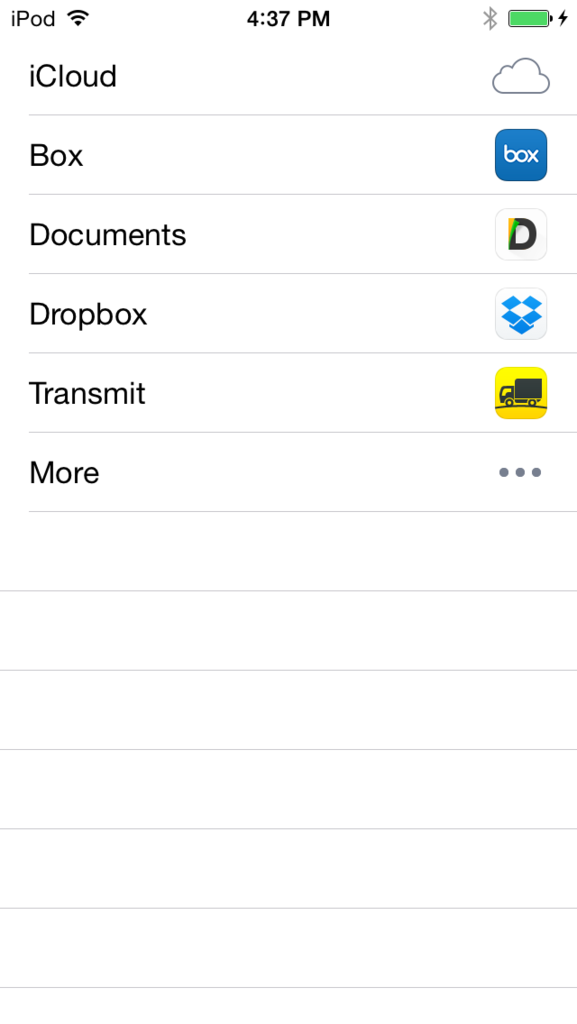
The above sheet is 100% controlled by iOS — we can’t touch it. Since we can’t touch the sheet, we can’t remove just iCloud Drive from the sheet, so we have to remove the whole sheet.
Our seriously sincere apologies to everyone who used or purchased Transmit iOS with this feature.
The good news? Transmit iOS remains incredibly capable and useful app despite this omission — as further evidenced by this awesome five-mice review for Transmit iOS in MacUser UK.

There are good people working at Apple who will read this, be frustrated, and hopefully try to fix the situation. Hopefully, we can return this functionality to Transmit iOS in some form, someday. We’ll let you know.
UPDATE 12/11/14: After a considerate conversation with Apple, Transmit iOS 1.1.2 has been released with restored “Send To” functionality.