Archive for October, 2014

Introducing Coda 2.5

Thursday, October 16th, 2014

icon_512x512

It took longer than we wanted.

But the wait is more than worth it.

We’re excited to announce the arrival of Coda 2.5, a very significant update to our very popular web development app for OS X, available now — and free of charge for all Coda 2 owners.

We’ve spent a great deal of time working hard to deliver on the promise of Coda 2. We took a look at the feedback you’ve sent and the surveys you’ve filled out. And we’ve crafted an update that addresses most major requests for Coda 2. Sure, there’s still lots more we want to do in the future. But this is a big one.
coda-screen-1200

What’s New

Where do we start?

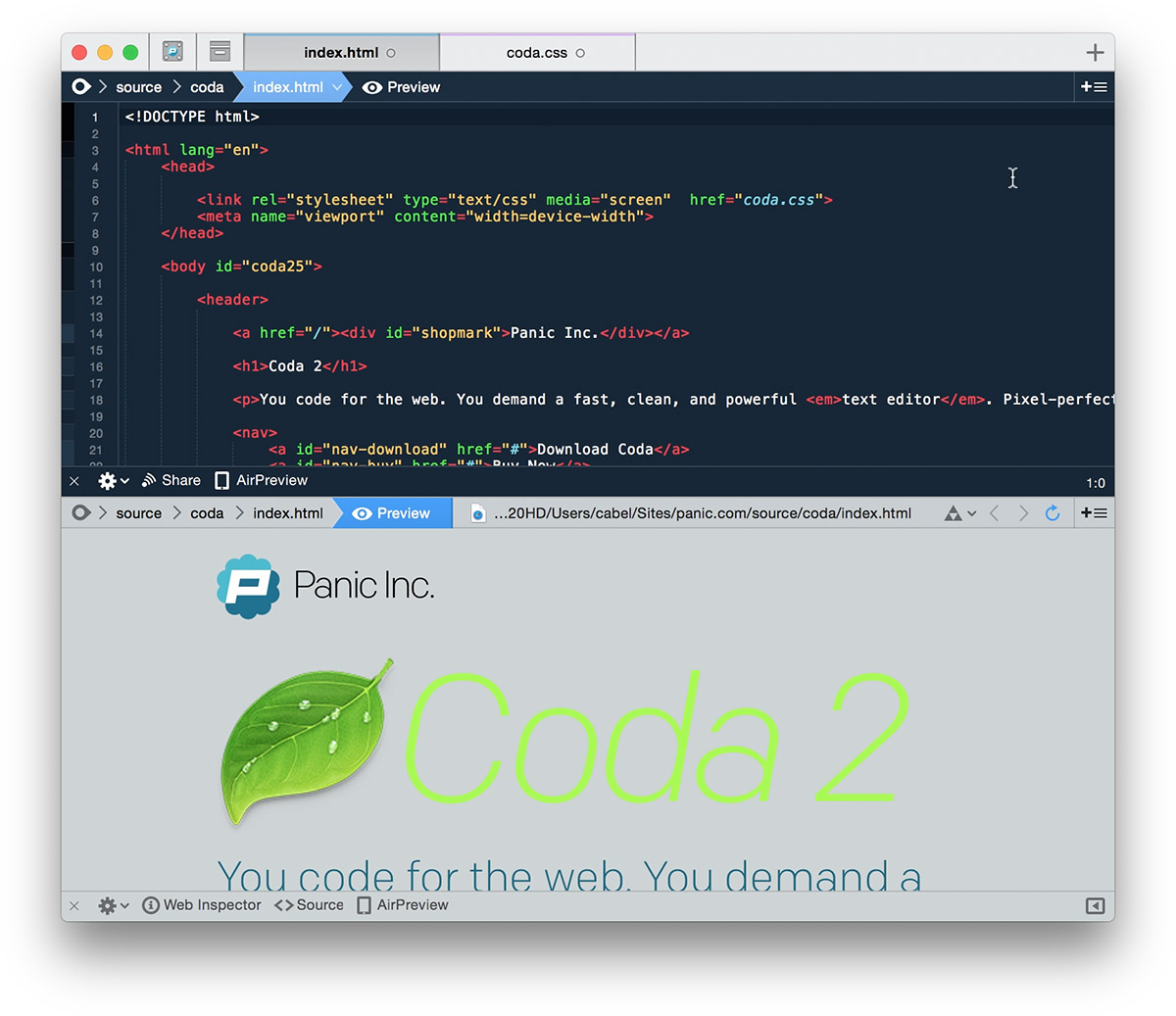
Coda 2.5 is significantly faster. Syntax highlighting is up to 10 times faster. Symbol parsing is also up to 10 times faster. You can feel the speed increase. It also looks nicer. We refreshed the UI completely — cleaned up the icons, spruced up every corner — and if you’re running OS X Yosemite, you’ll even get a 10.10-updated interface designed expressly for you.

There are great editor improvements. Vertical indentation guides. A customizable column guide. New color-coded tabs, traditional and visual.  It has Panic Sync. Your sites, including passwords and private keys, will easily and securely sync to Coda on all of your devices — and will even sync with Diet Coda 1.6 and Transmit iOS. (You can learn about Panic Sync here.)

Plug-ins are significantly more powerful. We have a plug-in browser built-in to the Preferences. And users can now write “Sidebar” plugins that add brand new tools to Coda’s sidebar. Even better, Sidebar plugins can be written in HTML, significantly lowering the barrier of entry to extending Coda!

Then, a big one: the local indexer/site-wide autocomplete. Coda 2.5 can now optionally scan your Local Folder and build an index of functions, classes, and variables. So the autocomplete menu will now include your own code — not just the standards. It’s a massive speed boat for your code. I meant to say speed boost, but speed boat is what came out, and let’s just roll with it.

And publishing tracks external changes. This is big news for anyone who works with SCSS or LESS.

In short, there are hundreds of fixes and improvements — here are the full release notes. Or you can learn more about Coda in general.

Coda is still only $99 for new users, a price that’s affordable to any web developer. If you already own Coda 2, the 2.5 update is free.

How To Get It

If you bought Coda 2 from us directly, Coda 2.5 should auto-update over the next few days! That’s it. If you’re impatient, just download from our site and replace your current copy.

What about Mac App Store customers? As you may know, Coda 2.5 is not available in the Mac App Store. (One of the major causes for Coda 2.5’s delay was wrestling with sandboxing.)

But don’t worry. We’ve made Mac App Store migration painless:

  • Download Coda 2.5
  • Launch it. It should detect your Mac App Store copy and pop-up a migration dialog.
  • Enter your name and e-mail, and we’ll e-mail you a personalized Coda 2 serial number.
  • Use that serial number to unlock Coda 2, now and in the future. It’s yours to keep.

(In some cases we might not be able to automatically detect your Mac App Store copy, and you might need to go to the Mac App Store “Purchases” tab, redownload Coda 2, then launch Coda 2.5. Once migration is done you can delete the older Coda.)

Also, A Free Book
Inside Coda

We’ve often wished there was a casual guide to the full power of Coda that we could give to new (or existing!) users. So we made one. It’s available in the iBookstore, and it’s completely free.

Enjoy

We’re extremely happy to give Coda users this fresh update. Coda 2 was a great success for Panic and, in a way, this update is one way for us to say thanks.

Enjoy it. And show us what you make with Coda!

(Basically everyone at Panic is involved in Coda, and everyone did amazing work, but Coda 2.5 truly owes its existence to Wade and Will, the masterminds behind Coda for many years. They’re overdue for a break — but until then, thank you both for always working hard to make this app great!)
How “Complete My Bundle” Pricing Works

Tuesday, October 14th, 2014

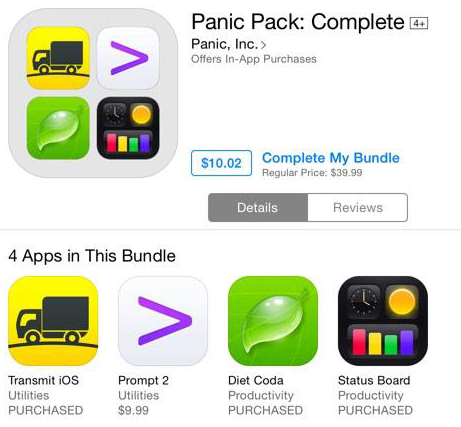
With the release of Transmit iOS and Prompt 2, we excitedly added two Panic Pack bundles to the App Store. Bundles are a great chance to reward loyal customers a little bit of a discount on our software — something that was not possible to do on the App Store previously.

Even better, customers can “Complete My Bundle” — if they’ve bought any of our apps, they can pay the difference to receive additional missing apps at a discount.

app-bundle-transmit-prompt2@2x app-bundle-complete@2x

But once our bundles hit the App Store, some curious “Complete My Bundle” questions began to roll in. Pricing seemed to be weird or inconsistent. So we did a little digging and got some good tips on Twitter.

Here’s all you need to know:

Complete My Bundle takes whatever money you’ve paid for the individual apps and applies that towards the bundle’s fixed price. So, if you buy an app on sale, or use a promo code, your Complete My Bundle price can be different than someone else’s, and in some situations it might be cheaper to buy the remaining app(s) individually.

That’s it.

It explains a mystery like this:

bundlewhat

The user owns three of the four apps. Why would the user’s Complete My Bundle price be $10.02, if Prompt 2 alone is $9.99?

Here’s why: the user bought Transmit iOS for $9.99, Status Board for $9.99, and Diet Coda when it was briefly on SALE for $9.99. That’s a total of $29.97 worth of “credit” towards the price of the bundle. Now, the bundle’s fixed price is $39.99, based off current app prices. See where this is going? $39.99, minus $29.97 in credit, equals $10.02. Bingo. Don’t complete this bundle.

Apple has just posted a useful Knowledge Base Article covering this issue (and others) — it’s helpful information that we will likely be pointing our customers towards.

We hope this helps clear up any mysteries, and as always, we’re very happy that you’re buying our software and we deeply appreciate your support!

Introducing Prompt 2

Wednesday, October 8th, 2014

prompt2@2x

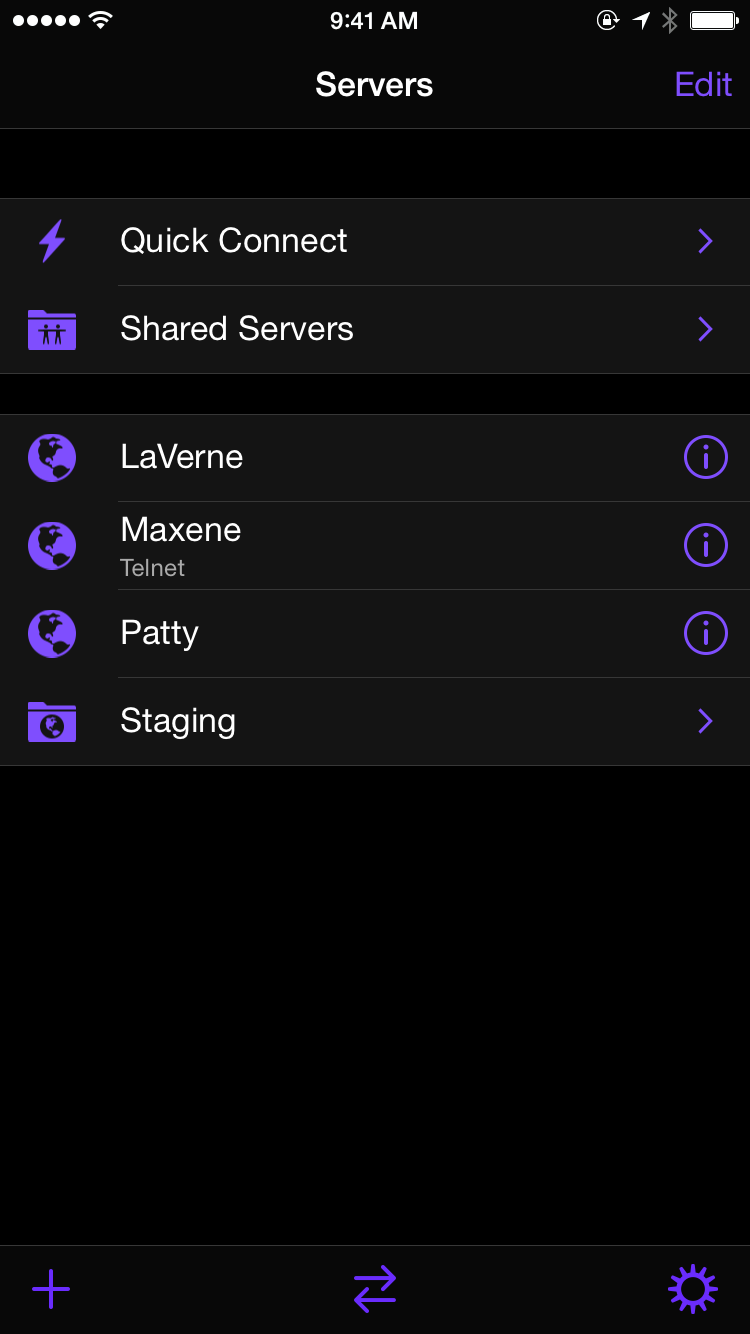
It’s amazing. Three years ago, we released Prompt, a nice, clean, powerful SSH client for iOS. And ever since then, you’ve told us your Prompt stories — fixing a dead server from a beach! Tweaking a webpage in the middle of a client meeting! — and we’ve loved every minute of it. Putting the power of a full-featured SSH app in your pocket (or on your iPad!) has been more fulfilling than we ever expected.

Well, now it’s time to take Prompt to the next level. We’ve been working very hard on Prompt 2, a brand new app!

pr_source-2

To start, Prompt 2 adds Panic Sync, our already-proven and secure way to sync your servers, passwords, and keys between Prompt on all your devices. This is a big deal. That means servers follow you from your iPhone to your iPad, effortlessly. (Panic Sync doesn’t yet allow you to sync between, say, Transmit and Prompt, but that’s something theoretically possible we hope to add in the future, and one of the advantages of running our own sync service.)

pr_source-3

As you can see, we also gave Prompt a fresh new look — a little bit sleeker, a little bit more cybernetic — and of course we made sure it was ready for the iPhone 6 and iPhone 6 Plus. And man, the dramatic, black interface looks absolutely incredible on an iPhone 6. There are lots of nice visual touches.

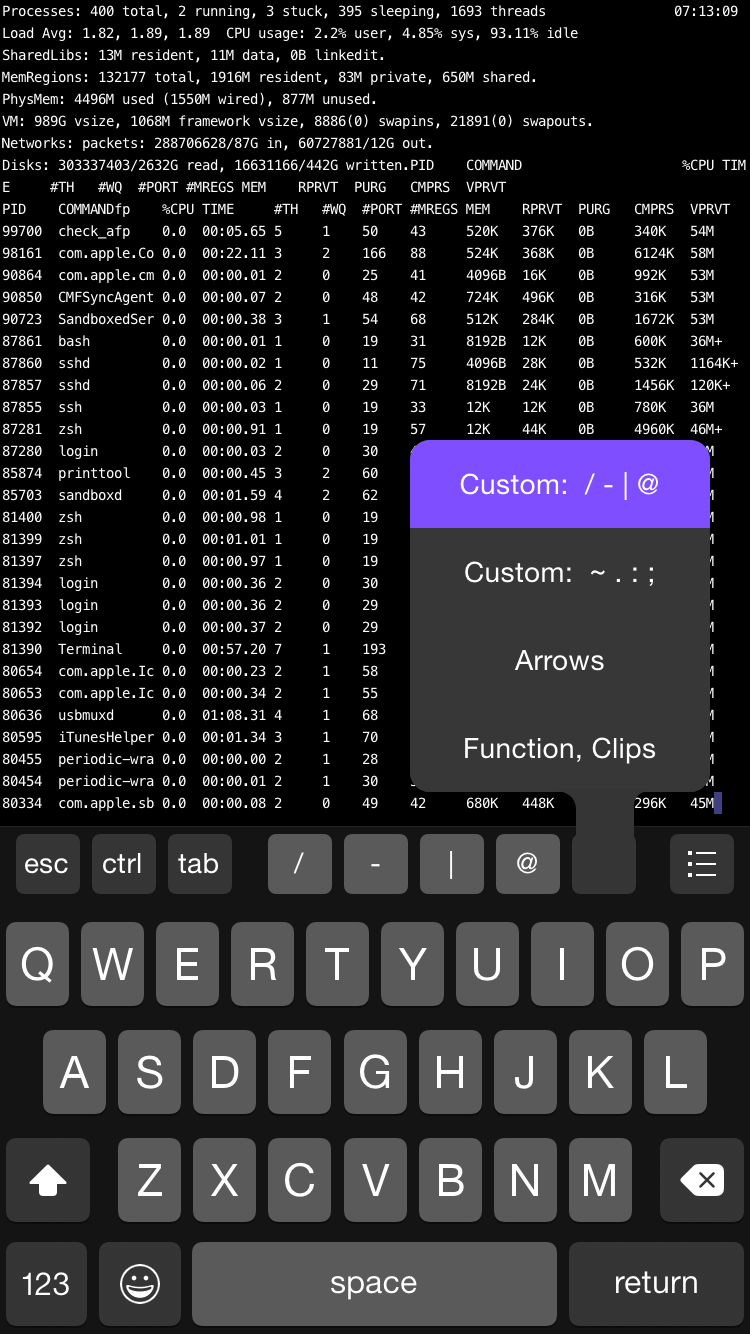
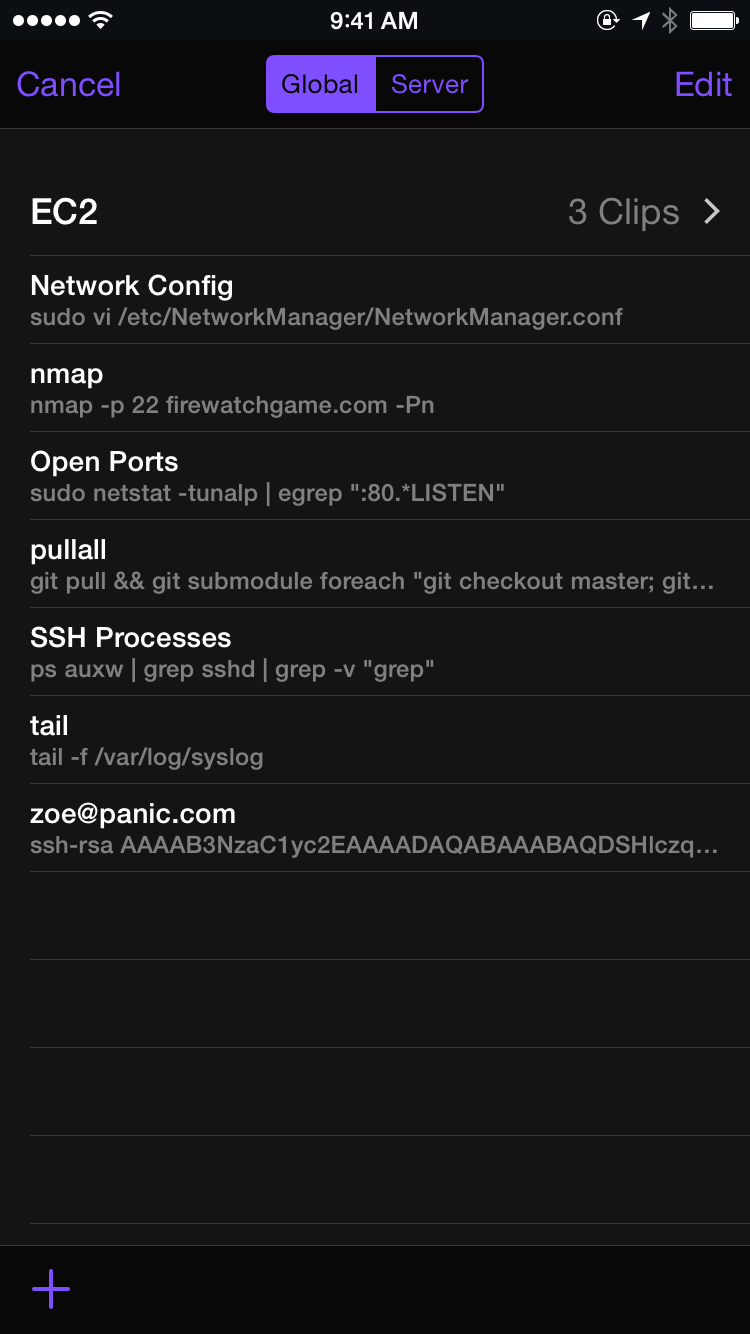
Another way to save server-time? Clips. Now you can save your frequently-used commands (or text snippets) and insert them at any time with a tap. And yes, your Clips sync between your devices as well!

clips

There’s a ton more. We’ve expanded Prompt’s private key handling abilities. You can now generate private keys in Prompt, making it very easy to set up a new, secure connection. It’s easier to switch between open connections. And there’s also Touch ID support so you can secure Prompt, and your sensitive servers, with your just fingerprint.

All in all, it’s a very nice update to a very nice app.

Check out Prompt 2 in the App Store and let us know how it helps you!

Prompt 2 is $9.99, and available right now. It will automatically import your data from Prompt 1.

Of course, we’re not done. We’ve already wrapped up Prompt 2.0.1 (submitting today!) and will be on the lookout for your bugs and ideas. See something weird? E-mail us! Have a cool idea? Let us know! We’re on it — we want Prompt 2 to be the best SSH app for iOS, period.

(Like all Panic products, Prompt 2 was a team effort, born under Dave, with Neven’s excellent design, Kenichi’s icon, Ashur’s testing and guidance, Logan’s sync magic, and more. But the true champion of Prompt 2, the one who did the actual work of implementing all the new features and shipping the app, was Heather, who is the best. Thank you!)